
PICK YOUR AI THEME TO GET STARTED
Choose an Award Winning AI Website theme, then just pay $9 hosting to unlock the full AI tools and customise everything.
Build: a $50-$50k AI Website
Free: Theme, 5,000 Layouts, and Course
Includes: AI Chatbots, Voicebots and AI Automations
Become: the AI Manager and Web Designer
Earn: life changing passive income with an AI Agency

UPDATE YOUR CREDIT CARD
My Card holds the credit card MOBLE charges for your plan. You update it yourself, on the screen — never send card details by email or chat.
UPDATE THE CARD
- Open MY CARD.
- Fill in Card Holder Name, Credit Card Number, Expiry Month, Expiry Year and CVV.
- Press Update Credit Card.
A PAYMENT FAILED?
- Update your card here first.
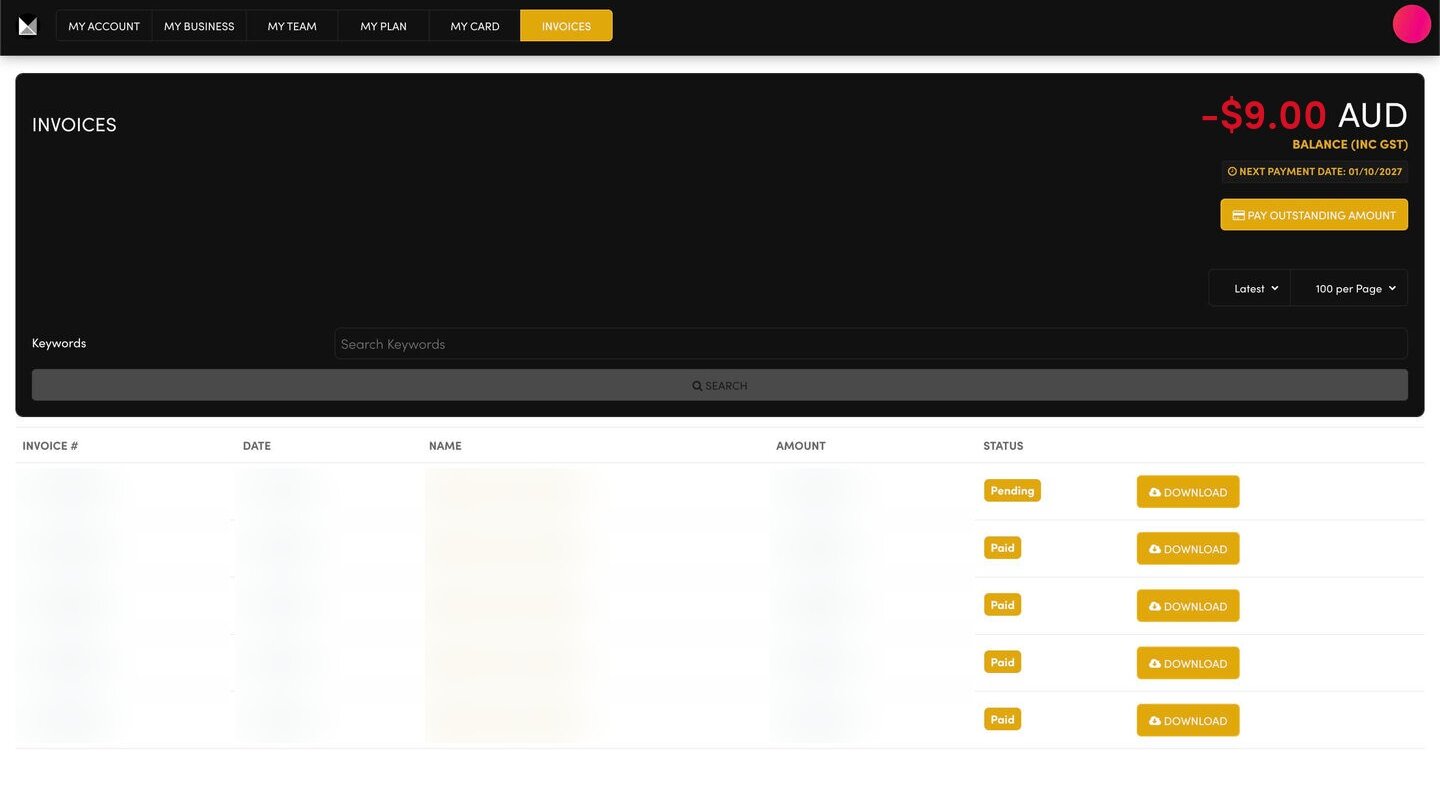
- Then open INVOICES. If a balance is owing, press PAY OUTSTANDING AMOUNT.
- Refresh Invoices and check the invoice now says Paid.
WHEN AM I CHARGED?
Your NEXT PAYMENT DATE is shown at the top of your INVOICES screen.
RELATED HELP
Play before you Pay?
Brand an AI Website and Chatbot Theme in under 3 minutes, anyone can do it!!
GETTING AROUND
SUPPORT
AI SALES LINE
AI SUPPORT LINE
ENQUIRIES
team@moble.com.au
GET A QUOTE
A Web Builder for Design. A CMS for Business. We serve all businesses from SME's to Enterprise. Talk with us for AI development, custom website design, website development, ecommerce websites, directories, intranets and social networks.
PRIVACY | WEBSITE TERMS | PLATFORM TERMS | © 2026 MOBLE PTY LTD