
PICK YOUR AI THEME TO GET STARTED

THE SPI SCORE
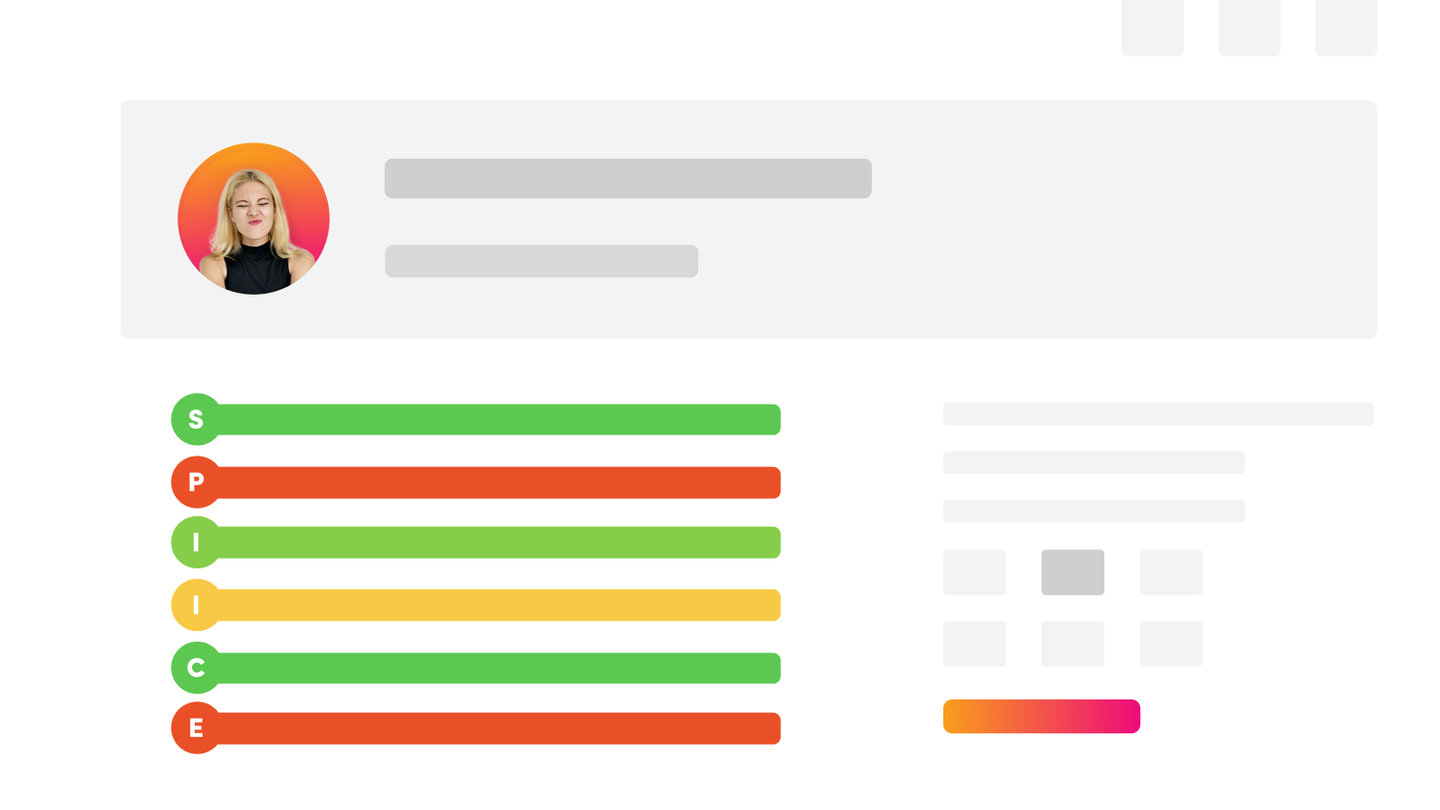
SPI stands for Status, Priority and Importance. Every lead, ticket and task in your CRM carries these three numbers, so you can see at a glance where each one is and what needs attention first.
THE THREE NUMBERS
- Status — the stage the record is at, from 0 to 10. Each board has its own stages: Leads run from 0 - New Lead to 10 - Sold, Tickets from 0 - New Ticket to 10 - Result, and Tasks from 0 - New Task to 10 - Result.
- Priority — how urgent it is, from 1 to 10.
- Importance — how much it matters to your business, from 1 to 10.
WHERE YOU SEE IT
On the Leads, Tickets and Tasks lists, the SPI SCORE column shows the stage as a coloured badge (for example 3 - Discovery), followed by the Priority and Importance numbers.
The colours follow the stage: red for new or urgent work, moving to green for finished or won.
Open any record to change its Status, Priority and Importance with the coloured dropdowns at the top of the edit screen.
WHO SETS THE SCORE?
You can set it by hand on any record. Your AI Chatbots can also set it: when a chatbot with an AI Form finishes a conversation, it scores the enquiry and places it on the right board at the right stage.
WHY IT MATTERS
The score drives your Automations. An automation can start when a record moves to a stage or reaches a priority. For example, the base automation Sales: Hot Lead Alert starts when a lead's Priority reaches 8.
THE CRM DASHBOARD
The CRM dashboard (the SPIBOARD) shows your latest enquiries, leads, tickets and tasks together with their SPI badges. Its stats and charts are being updated; this article will show the new tiles once they are released.
RELATED HELP

Play before you Pay?
GETTING AROUND
SUPPORT
AI SALES LINE
AI SUPPORT LINE
ENQUIRIES
team@moble.com.au
GET A QUOTE
A Web Builder for Design. A CMS for Business. We serve all businesses from SME's to Enterprise. Talk with us for AI development, custom website design, website development, ecommerce websites, directories, intranets and social networks.
PRIVACY | WEBSITE TERMS | PLATFORM TERMS | © 2026 MOBLE PTY LTD