
PICK YOUR AI THEME TO GET STARTED
Choose an Award Winning AI Website theme, then just pay $9 hosting to unlock the full AI tools and customise everything.
Build: a $50-$50k AI Website
Free: Theme, 5,000 Layouts, and Course
Includes: AI Chatbots, Voicebots and AI Automations
Become: the AI Manager and Web Designer
Earn: life changing passive income with an AI Agency

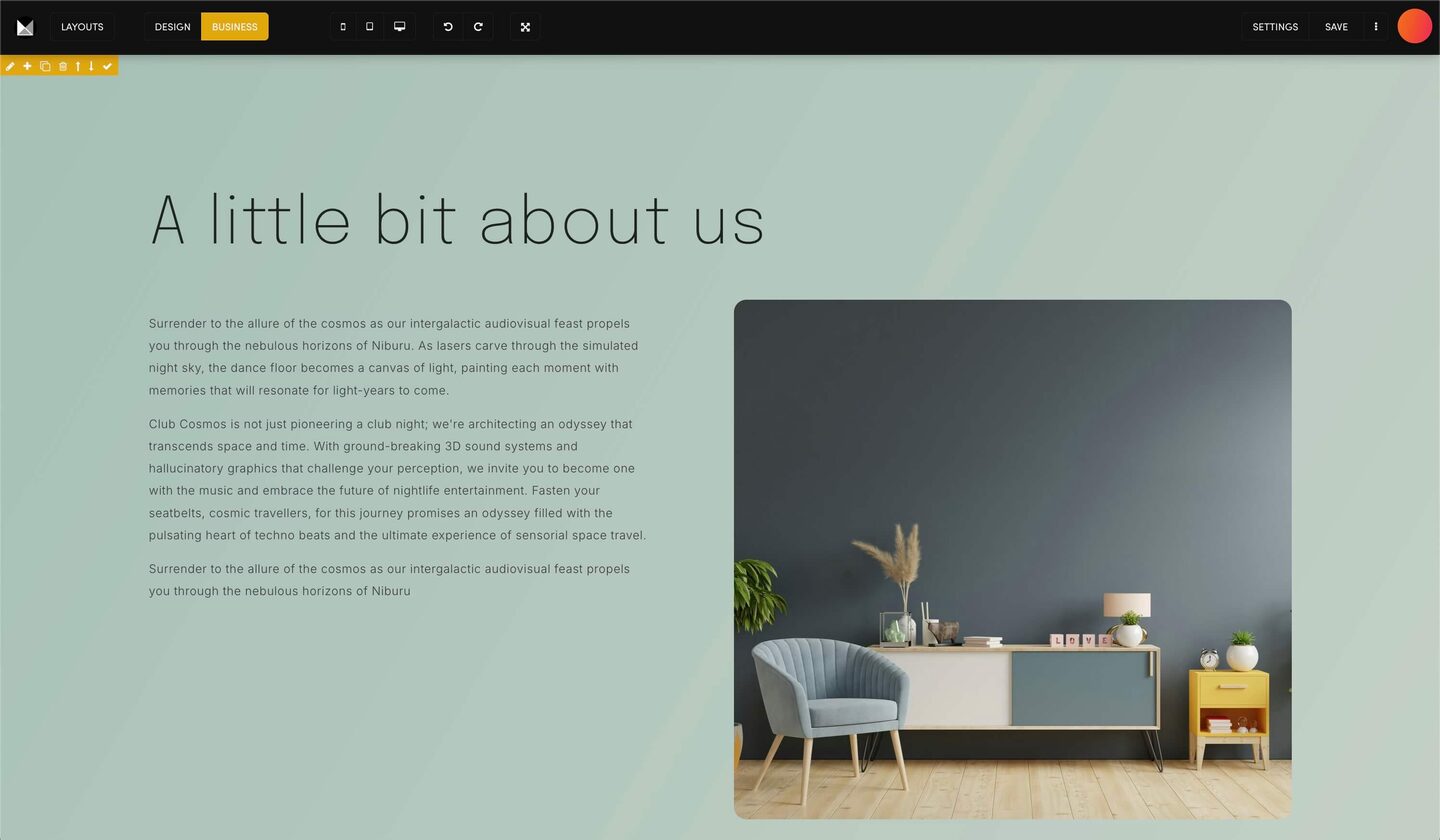
DESIGN AND BUSINESS MODE
The Visual Page Editor has two modes. DESIGN shows every frame tool. BUSINESS hides them so you can work on your words.
- DESIGN shows a toolbar on every frame: the pencil (the Tools Drawer), + (add a component), columns, duplicate, delete and move. Use it to change layout and styling.
- BUSINESS hides the frame toolbars and shows the text tools: formats, bold, italic, alignment, lists, colour, size and links.
Switch with the DESIGN and BUSINESS buttons at the top of the editor.
If you only update copy, stay in BUSINESS: the design tools are out of the way.
Press SAVE when you are done, then refresh your page to see the change.
Play before you Pay?
Brand an AI Website and Chatbot Theme in under 3 minutes, anyone can do it!!
GETTING AROUND
SUPPORT
AI SALES LINE
AI SUPPORT LINE
ENQUIRIES
team@moble.com.au
GET A QUOTE
A Web Builder for Design. A CMS for Business. We serve all businesses from SME's to Enterprise. Talk with us for AI development, custom website design, website development, ecommerce websites, directories, intranets and social networks.
PRIVACY | WEBSITE TERMS | PLATFORM TERMS | © 2026 MOBLE PTY LTD